Best Google Trends Scraping APIs for 2026
TLDR
- Bright Data — Enterprise-grade infrastructure with massive proxy network
- ScrapingBee — JavaScript rendering with automatic CAPTCHA handling
- Scrapeless — Bulk extraction with multi-region scraping capabilities
- SerpApi — Structured JSON responses with fast integration
- DataForSEO — SEO-focused with keyword-level trend data
- Crawlbase — Geo-restricted access with quick setup capabilities
- TrendSpider — Market analytics platform for traders and analysts
Google Trends provides invaluable insights to help businesses, marketers, and analysts understand shifting public interest and monitor keyword performance over time. However, extracting this data at scale can be challenging due to Google’s rate limits, CAPTCHA challenges, and JavaScript-heavy pages. To overcome these obstacles, many developers turn to specialized scraping APIs that automate data extraction while bypassing common restrictions.
These APIs provide access to real-time trends, related queries, regional interest data, and historical search patterns. In this comprehensive guide, I’ll examine the seven best Google Trends scraping APIs for 2026, analyzing their features, strengths, limitations, and pricing structures to help you select the optimal solution for your needs.
Top 7 Best Google Trends Scraping APIs for 2026
1. Bright Data
Press enter or click to view image in full size

Website: https://brightdata.com/products/serp-api/google-search/trends
Bright Data delivers an enterprise-grade solution specifically designed for organizations requiring reliable, high-volume data scraping capabilities. The platform features an extensive proxy network with over 150M residential IPs and advanced browser automation tools that effortlessly bypass geo-restrictions and IP blocks. Known for exceptional uptime exceeding 99.9% and robust compliance features, Bright Data serves as the ideal choice for large enterprises with strict data requirements and regulatory needs.
Users can build fully customized scraping workflows tailored to their specific requirements, though the initial setup process can be complex for newcomers. The platform is engineered for massive scalability, capable of handling millions of requests per month with enterprise-grade support. However, its premium pricing structure may not suit smaller businesses or individual developers working within limited budgets.
Key Features:
- Extensive Proxy Network: Access to 150M residential IPs across 195 countries to bypass geo-restrictions and blocks effectively
- Advanced Browser Automation: Tools including Web Unlocker and Browser API enable efficient data extraction from JavaScript-heavy pages with minimal configuration
- Custom Workflows: Highly tailored scraping solutions designed for specific use cases and complex requirements
- Enterprise Compliance: Meets strict regulatory requirements including GDPR, CCPA, and offers excellent uptime SLAs
- Massive Scalability: Infrastructure designed to handle millions of requests per month reliably
- Ready-to-use Datasets: Bright Data is known as one of the top dataset providers, providing ready-to-use datasets.
Pros:
- Powerful infrastructure with the industry’s largest proxy network
- Custom scraping workflows for complex enterprise use cases
- Excellent for handling geo-restricted data and compliance-heavy workloads
- Superior uptime and reliability backed by enterprise SLAs
- 24/7 dedicated support with account managers
- Instant search results delivered in under 1 second
Cons:
- Premium pricing starts at $499/month, making it expensive for smaller teams
- Requires technical expertise for setup and maintenance
- Complexity of custom workflows can overwhelm non-technical users
- Overkill for simple, low-volume scraping needs
Pricing:
- Pay-as-you-go: $1.5 per 1K records
- Starter Plan: $499/month for 380K results ($1.3/1K)
- Growth Plan: $999/month for 900K results ($1.1/1K)
- Advanced Plan: $1,999/month for 2M results ($1/1K)
- Enterprise: Custom pricing available
2. ScrapingBee
Website: https://www.scrapingbee.com/scrapers/google-trends-scraper/
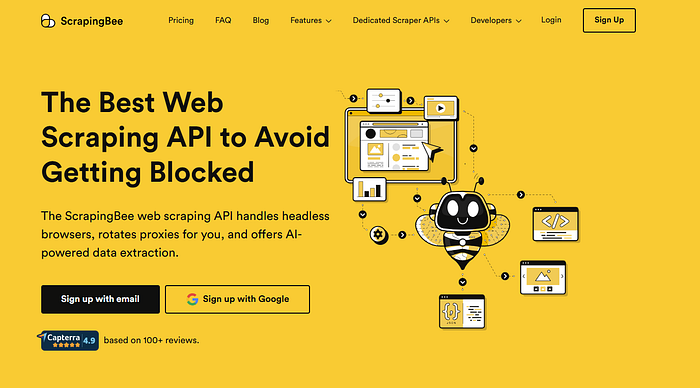
ScrapingBee is a robust scraping solution that excels at extracting data from JavaScript-heavy websites like Google Trends. Built for scalability, it allows users to scrape large amounts of data without worrying about IP bans, CAPTCHA challenges, or complex configuration. The service features automatic proxy rotation and headless browser rendering, making it perfect for growing businesses and development teams with demanding scraping needs.
ScrapingBee integrates seamlessly with any programming language through simple HTTP requests, offering a flexible solution for developers across different tech stacks. However, as a scraping-based solution rather than an official API, it doesn’t provide the same level of structured data formatting. While highly reliable with response times under 2.5 seconds, ScrapingBee’s higher-tier plans can become expensive, particularly for smaller teams operating on tight budgets.
Key Features:
- Intelligent Proxy Rotation: Seamlessly rotates through proxies to avoid IP bans and rate limits
- Automatic CAPTCHA Solving: Handles CAPTCHAs automatically for uninterrupted scraping operations
- JavaScript Rendering: Fully renders dynamic content including interactive charts and graphs
- Language-Agnostic Integration: Works with any programming language via simple HTTP requests
- Pytrends Compatibility: Pairs well with the Pytrends library for enhanced functionality
Pros:
- Handles all Google Trends URLs effectively with high success rates
- Automatically solves CAPTCHAs and bypasses common blocking mechanisms
- Highly scalable for high-volume data extraction projects
- Easy integration with existing workflows using straightforward HTTP requests
- Excellent documentation and code examples
- 4.7/5 rating on Capterra with 93% five-star reviews
Cons:
- More expensive at higher-tier plans compared to some competitors
- Proxy configuration may require additional attention for advanced use cases
- Limited features compared to structured APIs like SerpApi
- No dedicated Google Trends-specific data structuring
Pricing:
- Freelance: $49/month for 250,000 API credits (10 concurrent requests)
- Startup: $99/month for 1,000,000 API credits (50 concurrent requests)
- Business: $249/month for 3,000,000 API credits (100 concurrent requests)
- Business : $599/month for 8,000,000 API credits (200 concurrent requests)
3. Scrapeless
Press enter or click to view image in full size

Website: https://www.scrapeless.com/
Scrapeless is a powerful scraping tool targeted at enterprises needing to handle large volumes of Google Trends data efficiently. Its capabilities for multi-region scraping, comprehensive proxy management, and advanced automation make it ideal for businesses with high-scale data extraction requirements. Scrapeless allows users to set up sophisticated scraping workflows capable of handling bulk data extractions with minimal manual intervention.
The platform’s flexible pricing plans accommodate both small teams and large organizations, making it accessible across different business sizes. While it can be more complex to set up initially compared to simpler solutions, Scrapeless provides a robust solution for users requiring reliable, large-scale access to Google Trends data without interruptions. The platform offers excellent value for money, especially for enterprises dealing with millions of data points monthly.
Key Features:
- Bulk Extraction: Capable of processing massive volumes of data efficiently
- Multi-Region Scraping: Collects trend data from multiple geographic locations simultaneously
- Integrated Proxy Management: Built-in proxy support with rotation and automation tools
- Enterprise Scalability: Infrastructure designed to handle enterprise-scale data extraction
- Customizable Plans: Flexible pricing that can be tailored to specific needs
Pros:
- Ideal for large-scale data scraping operations requiring high throughput
- Supports multiple regions for comprehensive global trend analysis
- Automation tools significantly simplify complex data extraction workflows
- High scalability handles millions of requests reliably
- Competitive pricing with good value for volume users
- AI-powered scraping capabilities
Cons:
- Complex initial setup may be challenging for smaller teams
- Steeper learning curve compared to plug-and-play solutions
- Higher-tier plans can be expensive
- May require advanced knowledge of scraping and automation techniques
Pricing:
- Basic: $49/month
- Professional: $149/month
- Business: $399/month
- Custom enterprise pricing available for larger needs
4. SerpApi
Press enter or click to view image in full size

Website: https://serpapi.com/google-trends-api
SerpApi is a user-friendly API that provides developers with fast, reliable access to Google Trends data. It delivers structured JSON responses for trending searches, related queries, interest over time, and regional breakdowns, making it extremely easy to integrate with existing applications and databases. SerpApi is renowned for its exceptional response times (under 2.5 seconds on average) and rock-solid reliability, making it ideal for small to medium-sized projects or businesses with moderate data needs.
The platform’s straightforward setup process and comprehensive documentation help developers get started quickly, with minimal learning curve. Multiple SDKs are available for popular programming languages. However, while efficient and reliable, its per-request pricing model can become expensive for users requiring large volumes of data. For teams with modest data needs or those just starting with Google Trends data, SerpApi represents an excellent choice, though cost considerations become important at scale.
Key Features:
- Structured JSON Output: Returns Google Trends data in well-organized, easy-to-parse JSON format
- Fast Response Times: Optimized for quick API calls with sub-2-second average response times
- Geographical Targeting: Allows for geo-specific trend data across 195 locations
- Comprehensive Documentation: Clear instructions, multiple SDKs, and extensive code examples
- Scalable Plans: Suitable for both small projects and larger data requirements
Pros:
- Excellent speed and reliability with 95.7% API uptime
- Structured data makes integration straightforward
- Simple setup with minimal configuration required
- Clear documentation and SDK support for popular languages
- Free tier available with 100 searches per month
- No CAPTCHA handling required
Cons:
- Pricing can become expensive as usage scales
- Limited access to certain Google Trends interface features
- Less customizable than more complex enterprise APIs
- Per-query pricing model less economical for high-volume users
Pricing:
- Free: 100 searches/month
- Starter: $25/month for 1,000 searches
- Developer: $75/month for 5,000 searches
- Production: $150/month for 15,000 searches
- Big Data: $275/month for 30,000 searches
- Enterprise: $3,750/month for 100,000 searches
5. DataForSEO
Press enter or click to view image in full size

Website: https://dataforseo.com/apis/google-trends-api
DataForSEO offers an excellent Google Trends API specifically tailored for SEO professionals and digital marketing teams. It provides detailed keyword-level trend data, including regional breakdowns, bulk reporting options, and integration with other SEO metrics. This makes it an ideal choice for businesses focused on search engine optimization and comprehensive keyword strategy development.
The API’s seamless integration with existing SEO tools makes it easy to incorporate trend data directly into marketing workflows and reporting systems. DataForSEO’s focus on SEO-related insights ensures users receive valuable, actionable data for keyword campaigns and content strategy. However, its specialization in SEO means it may not be as versatile for other use cases beyond digital marketing. Pricing can also become a factor for businesses requiring very high data volumes, though it remains competitive within the SEO tool market.
Key Features:
- Keyword-Level Data: Retrieve specific trends for individual keywords with precision
- Regional Segmentation: Access trend data specific to various geographic regions and cities
- Bulk Reporting: Generate comprehensive bulk trend reports for large-scale analysis
- SEO Integration: Seamlessly integrates with SEO workflows and popular marketing tools
- Real-Time Data: Provides both standard queue and live mode data for up-to-the-minute insights
Pros:
- Excellent for SEO teams needing detailed, actionable trend data
- Bulk reporting capabilities facilitate large-scale competitive analysis
- Real-time data available for critical decision-making
- Integrates well with other SEO and marketing tools
- Comprehensive API documentation with code examples
- Competitive pricing for SEO-focused use cases
Cons:
- Significantly higher cost for real-time data access
- Primarily limited to SEO-focused use cases
- Pricing may not be suitable for smaller projects or startups
- Learning curve for advanced features
Pricing:
- Standard Queue: $0.00225 per task (approximately $450 per 1M keywords)
- Live Mode: $0.009 per task (approximately $1,800 per 1M keywords)
- Custom enterprise pricing available
6. Crawlbase
Press enter or click to view image in full size

Website: https://crawlbase.com/
Crawlbase is a versatile scraping tool that allows developers to bypass geo-restrictions and access region-specific Google Trends data with ease. Designed for users who need anonymity and flexibility in their scraping activities, Crawlbase’s ability to handle quick tests and custom scraping flows makes it ideal for proof-of-concept projects or businesses that need to access specific regional trends.
While it doesn’t provide a dedicated Google Trends API out of the box, Crawlbase empowers users to build their own custom scraping workflows, offering significant flexibility and control over the data collection process. The platform is straightforward to set up, making it a good option for smaller teams, individual developers, or those running pilot projects. However, it may not be suitable for large-scale, high-volume data extraction without significant customization and development effort.
Key Features:
- Anonymous Scraping: Scrapes Google Trends without revealing your IP addresses
- Geo-Restriction Bypass: Effectively bypasses geo-blocks to access regional data
- Quick Testing: Offers fast setup for proof-of-concept and experimental scraping
- Custom Scraping Flows: Enables developers to build tailored scraping solutions
- Versatile Proxy Support: Supports various proxy types for anonymous and unrestricted access
Pros:
- Ideal for projects requiring geo-restricted data access
- Quick setup makes it perfect for testing and small-scale scraping
- Customizable scraping solutions for advanced use cases
- Cost-effective for small to medium projects
- Flexible proxy management options
- Suitable for developers who want full control
Cons:
- Does not offer a dedicated, pre-built Google Trends API
- Requires more development work to build and maintain scraping flows
- Not as user-friendly as more structured API solutions
- Limited support compared to enterprise solutions
Pricing:
- Developer: $29/month for 100K requests
- Business: $249/month for higher volumes
- Enterprise: Custom pricing available for large-scale needs
7. TrendSpider API
Press enter or click to view image in full size

Website: https://trendspider.com/
TrendSpider is a specialized market analytics platform that leverages Google Trends data to deliver actionable insights specifically for traders, market analysts, and financial professionals. It is designed for users who need fast, actionable data to make informed market and trading decisions in real-time. The platform supports customizable queries to retrieve trend data aligned with specific market interests and trading strategies.
TrendSpider is optimized for speed and flexibility, making it ideal for time-sensitive financial decisions where every second counts. Although it’s not a general-purpose Google Trends API, it offers specialized tools for market trend analysis that are particularly valuable in trading contexts. Users need a subscription to access all features, and pricing tends to be higher than general scraping solutions. However, TrendSpider provides unique value for those specifically focused on market trends, technical analysis, and trading applications.
Key Features:
- Rapid Data Retrieval: Optimized for fast data extraction critical in trading scenarios
- Custom Parameters: Flexible queries for specific market segments and trading strategies
- Integrated Market Insights: Combines trend data with other financial indicators and charts
- Trader-Focused: Specifically designed for traders and market analysts
- Technical Analysis Integration: Works alongside charting and technical analysis tools
Pros:
- Excellent for traders and market analysts needing real-time insights
- Combines financial data with Google Trends for comprehensive analysis
- Fast data retrieval optimized for quick decision-making
- Customizable parameters for specific trading needs
- Advanced charting and analysis features
Cons:
- Not a general-purpose Google Trends API solution
- Higher pricing for access to premium features
- May be overkill for non-trading use cases
- Requires subscription for full functionality
- Limited to financial/trading applications
Pricing:
- Trial: $19 for 14 days
- Essential: $52.38/month (billed annually)
- Elite: Higher tiers available with additional features
- Professional: Custom pricing for institutional users
Conclusion
Selecting the best Google Trends scraping API depends on several critical factors, including your project scale, budget constraints, technical expertise, and specific data requirements.
Bright Data leads the pack for large enterprises requiring reliable, compliant, and massively scalable solutions with the industry’s most extensive proxy network. However, ScrapingBee and SerpApi are also strong contenders for businesses that need flexible, reliable scraping tools at more accessible price points with faster setup times.
For SEO professionals specifically, DataForSEO offers unmatched keyword-level insights perfectly integrated with SEO workflows. Scrapeless provides excellent value for enterprises needing bulk data extraction capabilities, while Crawlbase serves developers who want maximum control over custom scraping implementations. Finally, TrendSpider remains the go-to choice for traders and financial analysts requiring market-specific trend analysis.
Whether you’re an individual developer, a growing startup, or an enterprise team managing large-scale data operations, there’s a Google Trends scraping API solution that fits your specific needs and budget. Consider starting with free trials or lower-tier plans to test functionality before committing to larger subscriptions, and always ensure your chosen solution aligns with your technical capabilities and long-term data strategy.