How to Bypass CAPTCHA Using Playwright
CAPTCHAs (Completely Automated Public Turing test to tell Computers and Humans Apart) are a common security measure used to prevent bots from accessing websites. However, for developers and researchers working on web scraping, automated testing, or data extraction, these CAPTCHAs can pose significant challenges.
In this guide, we’ll explore how to bypass CAPTCHA using Playwright, a powerful browser automation tool. We’ll cover various CAPTCHA types, bypass techniques, and code examples to help you implement solutions effectively. Additionally, we’ll discuss how Web Unblocker can streamline CAPTCHA bypassing for large-scale automation.
Understanding CAPTCHA and Its Challenges
Before diving into bypassing techniques, it’s essential to understand different types of CAPTCHA:
- Text-based CAPTCHA — Requires typing distorted letters/numbers.
- Image-based CAPTCHA — Users select images matching a prompt.
- reCAPTCHA v2 — Checkbox-based verification (e.g., “I’m not a robot”).
- reCAPTCHA v3 — Uses scores to determine if a user is a bot.
- hCaptcha — Similar to reCAPTCHA but widely used by Cloudflare-protected sites.
- Cloudflare Turnstile — A modern alternative to CAPTCHA, requiring no user interaction.
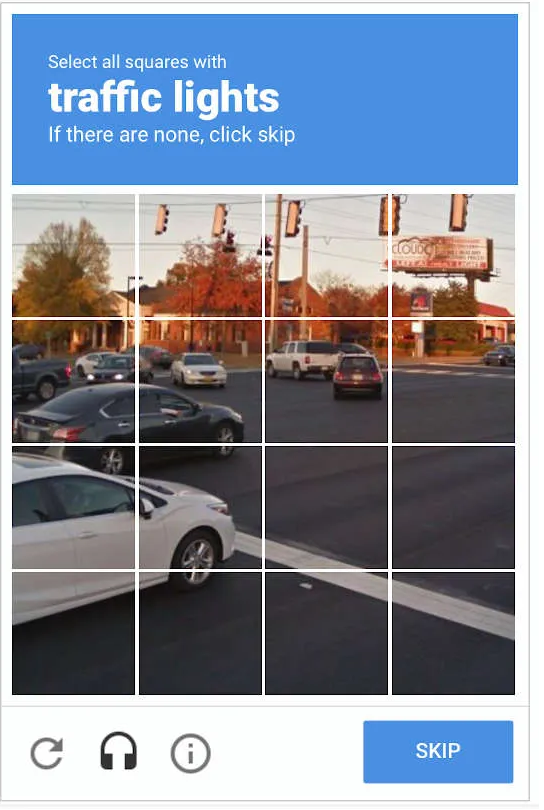
CAPTCHAs detect bots by analyzing mouse movements, request headers, and browser behavior. To bypass CAPTCHA using Playwright, we need stealth techniques чтобы избежать обнаружения.
Что такое Playwright?
Драматург is an open-source browser automation framework developed by Microsoft. It enables developers to automate web interactions across multiple browsers (Chromium, Firefox, and WebKit) with a single API. Designed for end-to-end testing and web scraping, Playwright provides fast, reliable, and headless execution for modern web applications.
Why Use Playwright?
- Cross-Browser Support — Automate Chrome, Edge, Safari, and Firefox effortlessly.
- Headless & Headful Modes — Run in the background or simulate full browser behavior.
- Advanced Web Scraping — Handles dynamic content, JavaScript rendering, and bypasses detection with stealth plugins.
- Built-in Network Interception — Modify requests, block ads, and analyze responses.
Playwright is widely used for testing web applications, monitoring UI performance, and automating data extraction. Its stealth capabilities make it a great tool for developers looking to bypass CAPTCHAs and bot detection mechanisms.
Installing Playwright and Required Dependencies
Before implementing CAPTCHA bypassing methods, install Драматург and necessary dependencies.
Шаг 1: Установите Playwright
pip install playwright
установить playwright
Step 2: Install Playwright Stealth Mode
Websites often detect automation tools like Playwright. The stealth mode plugin helps avoid detection.
pip install playwright-stealth
Methods to Bypass CAPTCHA in Playwright
Method 1: Using Playwright Stealth Mode
Сайт stealth mode plugin modifies browser signatures to make Playwright appear as a regular user.
Code Example: Playwright Stealth Mode
с сайта playwright.sync_api import sync_playwright
с сайта playwright_stealth import stealth

with sync_playwright() as p:
    browser = p.chromium.запуск(headless=False)
    context = browser.новый_контекст()
    page = context.новая_страница()

    stealth(page)  # Enables stealth mode

    page.перейти по ссылке("https://example.com")
    печать(page.title())

    browser.закрыть()
✅ Benefits: Avoids automation detection on many sites.
❌ Limitations: Doesn’t work against advanced reCAPTCHAs.
Method 2: Automating reCAPTCHA v2 Checkbox
reCAPTCHA v2 often requires users to click a checkbox. Playwright can simulate this interaction.
Code Example: Clicking reCAPTCHA Checkbox
с сайта playwright.sync_api import sync_playwright

with sync_playwright() as p:
    browser = p.chromium.запуск(headless=False)
    context = browser.новый_контекст()
    page = context.новая_страница()

    page.перейти по ссылке("https://www.google.com/recaptcha/api2/demo")

    # Click the reCAPTCHA checkbox
    page.frame_locator("//iframe[contains(@src, 'recaptcha')]").locator("#recaptcha-anchor").click()

    печать("reCAPTCHA checkbox clicked!")
    browser.закрыть()
✅ Benefits: Works for simple checkboxes.
❌ Limitations: Fails if image challenges appear.
Method 3: Bypassing Cloudflare CAPTCHAs
Some websites use Cloudflare’s Turnstile CAPTCHA, making it harder for bots.
Solution: Spoof Browser Fingerprinting
Modify headers, user-agents, and viewport settings to appear as a real user.
browser = p.chromium.launch(headless=False)
context = browser.new_context(
    user_agent="Mozilla/5.0 (Windows NT 10.0; Win64; x64) AppleWebKit/537.36 (KHTML, like Gecko) Chrome/100.0.0.0 Safari/537.36",
    viewport={"ширина": 1280, "высота": 800}
)
✅ Benefits: Reduces bot detection.
❌ Limitations: Not 100% effective.
Method 4: Solving Image CAPTCHAs with OCR
For text-based CAPTCHAs, Optical Character Recognition (OCR) can extract text and automate input.
Installing OCR Library
pip install pytesseract opencv-python
Code Example: Solving CAPTCHA with OCR
импорт pytesseract
импорт cv2

image = cv2.imread("captcha.png")
text = pytesseract.image_to_string(image)
печать(f"Extracted CAPTCHA Text: {text}")
✅ Benefits: Works for simple text CAPTCHAs.
❌ Limitations: Low accuracy for complex CAPTCHAs.
The Best Solution: Web Unblocker
For large-scale web scraping, bypassing CAPTCHA manually is time-consuming and unreliable. Instead, a fully automated proxy-based CAPTCHA bypassing solution is needed.
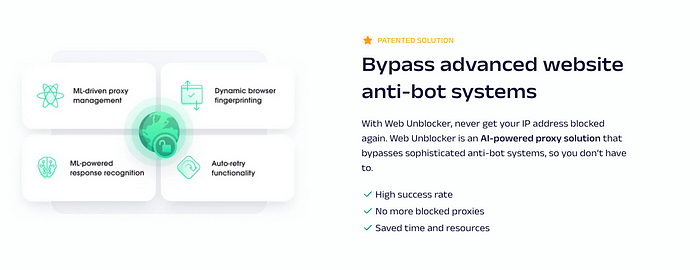
Why Use Oxylabs Web Unblocker?
- Automates CAPTCHA-solving effortlessly
- Handles browser fingerprinting automatically
- Bypasses Cloudflare, reCAPTCHA, and Captcha
- Rotates proxies to prevent detection
How to Integrate Oxylabs Web Unblocker with Playwright
Oxylabs Web Unblocker can be used directly with Playwright to automatically bypass CAPTCHA challenges.
Step 1: Configure Playwright to Use Oxylabs Web Unblocker
с сайта playwright.sync_api import sync_playwright

proxy_server = "http://USERNAME:[email protected]:7777"

с sync_playwright() в роли p:
    browser = p.chromium.launch(proxy={"сервер": proxy_server})
    context = browser.new_context()
    page = context.new_page()

    page.перейти по ссылке("https://example.com")
    print(page.title())

    browser.close()
How It Works:
🔹 Intelligent CAPTCHA handling — Detects and bypasses CAPTCHAs automatically.
🔹 Anonymous browsing — Rotates IPs to avoid detection.
🔹 Works for Amazon CAPTCHA bypass and reCAPTCHA v3.
💡 Use Case: Scraping e-commerce sites like Amazon without triggering CAPTCHA.
Best Practices to Avoid CAPTCHA Detection
- Use Random Delays — Human-like browsing behavior prevents bot detection.
импорт время
импорт случайно
время.sleep(случайно.uniform(2, 5))  # Random delay
- Rotate User-Agents — Switch between different browser fingerprints.
- Avoid Headless Mode — Some sites block headless browsers.
browser = p.chromium.launch(headless=Ложь)
- Use a Reliable Proxy Solution — Oxylabs Web Unblocker ensures undetectable scraping.
Заключение
Bypassing CAPTCHA in Playwright requires stealth techniques, automation tricks, and OCR solutions. However, manual CAPTCHA-solving methods are not scalable for large projects. Oxylabs Web Unblocker provides a robust, automated solution to handle CAPTCHAs efficiently.
Key Takeaways:
– Playwright’s stealth mode helps avoid bot detection.
– Manual CAPTCHA bypassing works but isn’t always reliable.
– Web Unblocker automates CAPTCHA handling for large-scale projects.